
The live demo
The interactive demo runs the real @lmd/viewer and @lmd/editor in your browser (the parser is the Rust core compiled to WebAssembly — the same code the CLI uses). Nothing is uploaded; it's all local.
It loads a densely cross-linked sample document so you can feel how the link graph behaves. Here's what to try.
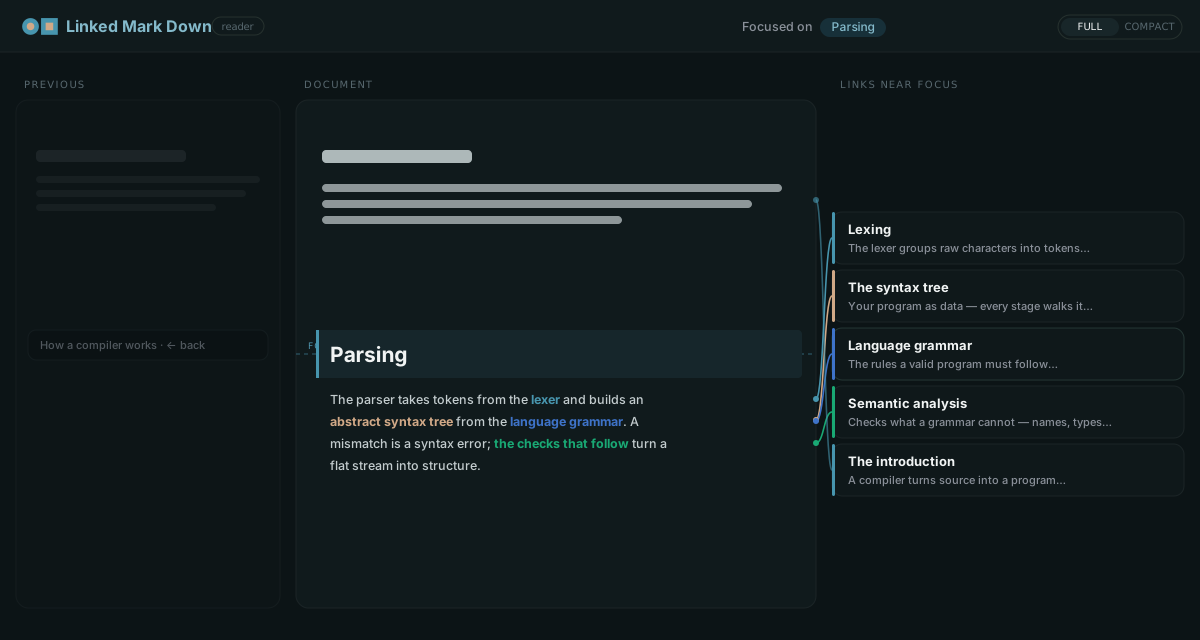
Reader
The centre column renders the .lmd as clean prose — the <!--lmd:… --> comments are invisible, exactly as in any Markdown renderer. What's added is navigation:
- Links near focus — as you scroll, the focus line (the vertical centre) tracks the section you're reading, and the right column shows a card for each anchor the visible links point at, connected by leader lines. The cards stay centred on the focus line.
- Follow a link — click a link (or its card) to jump to its target. If the target lives in another document, that document opens in the centre column and the one you left slides into the Previous column; ← back returns you to where you were.
- Hover coupling — hovering a link highlights its card(s) and thickens the wire between them, and vice-versa.
Full vs Compact
The header has a Full / Compact toggle:
- Full — the three-column reading experience above.
- Compact — a single centred column (max 1024px). There's no side column; instead, hovering a link pops its target cards as a tooltip beside it (it flips above the link near the bottom of the screen, and scrolls if there are many targets). Cleaner for focused reading.
Editor
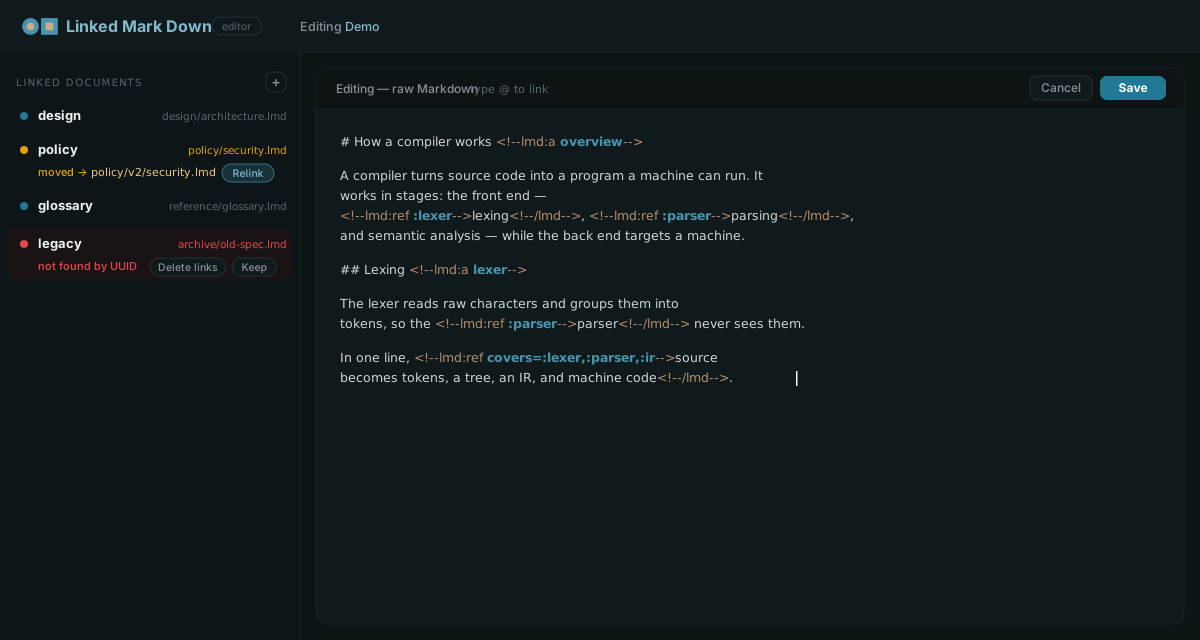
Click ✎ Edit to open the editor. It is deliberately a plain raw-Markdown textarea — you write normal Markdown; the only extra is linking.
- Add a link — type
@to open a search-and-pick composer (choose one or more target anchors, each with its own relationship type), or type the raw<!--lmd:refand theafterreftriggers an inline autocomplete of every local anchor and importedalias:slug. - Syntax highlight — the escape-comment scaffolding recedes (sand) while the meaningful identifiers — anchor names and ref targets — pop (teal).
- Linked documents sidebar — manages the documents this file imports. Each shows as found, moved (the file was relocated — one click relinks it by UUID), or missing (keep or delete the links). You can add a reference document, and selecting one lists its anchors; picking an anchor previews that document focused on it. In compact mode the wing collapses to a rail.
Run it yourself
bash
git clone https://github.com/makeisle/linked-markdown
cd linked-markdown
pnpm install && pnpm run wasm && pnpm -r build
pnpm --filter @lmd/playground dev   # http://localhost:5173